Google AI Mode Can Now Connect to Wallet and Drive: What It Means and How to Control It
Wallet is rolling out, Drive and the Gemini app are coming in weeks, and every connection is opt-in
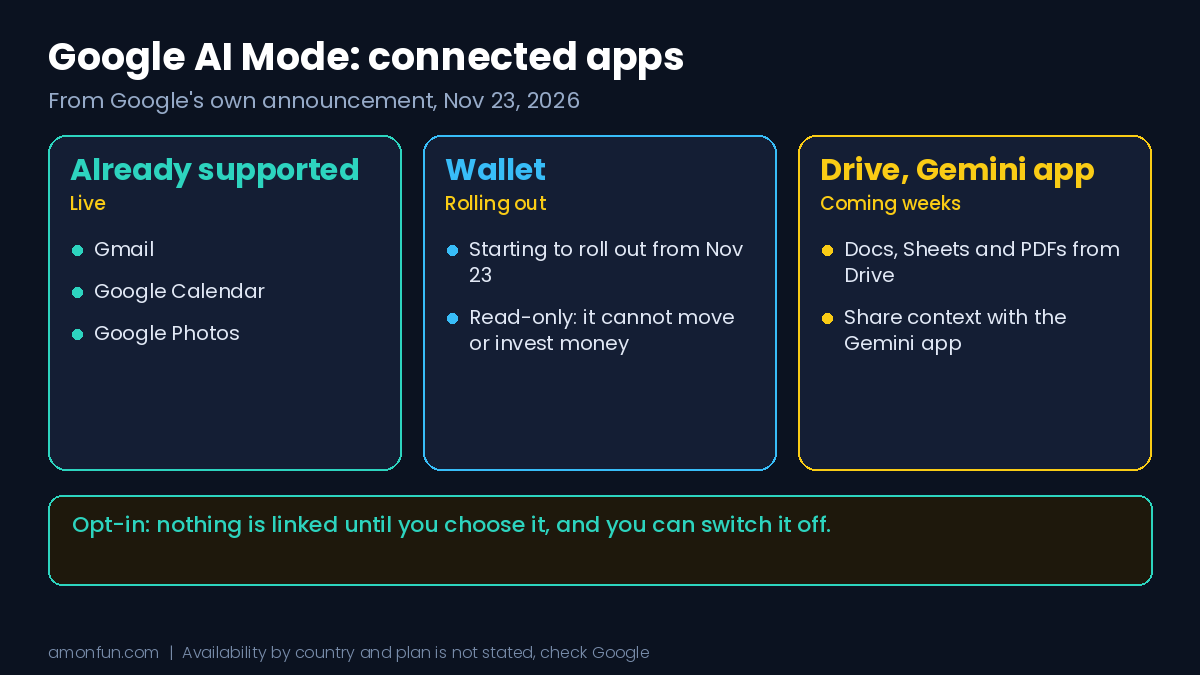
On November 23, 2026, Google announced that AI Mode in Google Search can use more of your own information to give personal answers. This guide explains what Google says is live today, what is still coming, and how to control it. We did not test these features ourselves, and everything below comes from Google's announcement.
What AI Mode can already use
Google calls this feature Personal Intelligence. According to its announcement, AI Mode already supports Gmail, Google Calendar and Google Photos. You choose whether to connect them. If you do not, AI Mode answers without that personal context.
What is new
- Google Wallet: Google says the Wallet connection is starting to roll out. AI Mode can use your spending and card information to help map financial milestones, suggest ways to cut everyday spending, and get more value from cash-back, travel perks and rewards points.
- Google Drive: Search can draw on your Docs, Sheets and PDFs. Google's example is a personalized plan to prepare for tax season. Google says this is coming in the coming weeks.
- Gemini app: Context can be shared between the Gemini app and AI Mode, so an idea you started in one can be continued in the other. Google also lists this as coming in the coming weeks.
- More relevant answers: AI Overviews and AI Mode will use your recent search context, for example to continue planning a trip in a new thread without repeating yourself.
Careful: sources disagree about Drive
Some news sites wrote that Drive is available today. Google's own announcement says Drive and the Gemini app are coming in the coming weeks, so we follow Google. If you do not see Drive yet, that is expected.
What Google says about privacy
- You choose whether and when to connect each app, and nothing is linked until you do.
- For Wallet, Google says AI Mode can only read information from connected accounts. It cannot move, manage or invest your money.
- Google says you can adjust or turn off personalization at any time.
The announcement does not say whether this data is used to train Google's models, and it does not give details about how long data is kept. If that matters to you, check Google's privacy pages before connecting an app.
How to connect or turn it off
- Open Search Personalization in your Google account and choose Connected Apps. Pick the apps you want AI Mode to use, or switch off any you connected.
- To change personalization in Search overall, use google.com/search-personalization.
- To change a saved detail, tell AI Mode, for example: "I'm no longer a vegetarian."
Who can use it?
Google's announcement does not say which countries, languages or plans get these features, and it does not say whether free users have access. Check the Connected Apps page in your own account to see what is offered to you.
Our advice
Personalized answers can be useful for planning, but they work because you share private data. A cautious way to start is to connect one app, test it with a simple question, and read the answer before you connect more. Financial information is the most sensitive, so think twice before connecting Wallet, and remember you can disconnect at any time.
Sources: Google: Tailored Google Search with Personal Intelligence apps, 9to5Google, TechCrunch.